
Notifications
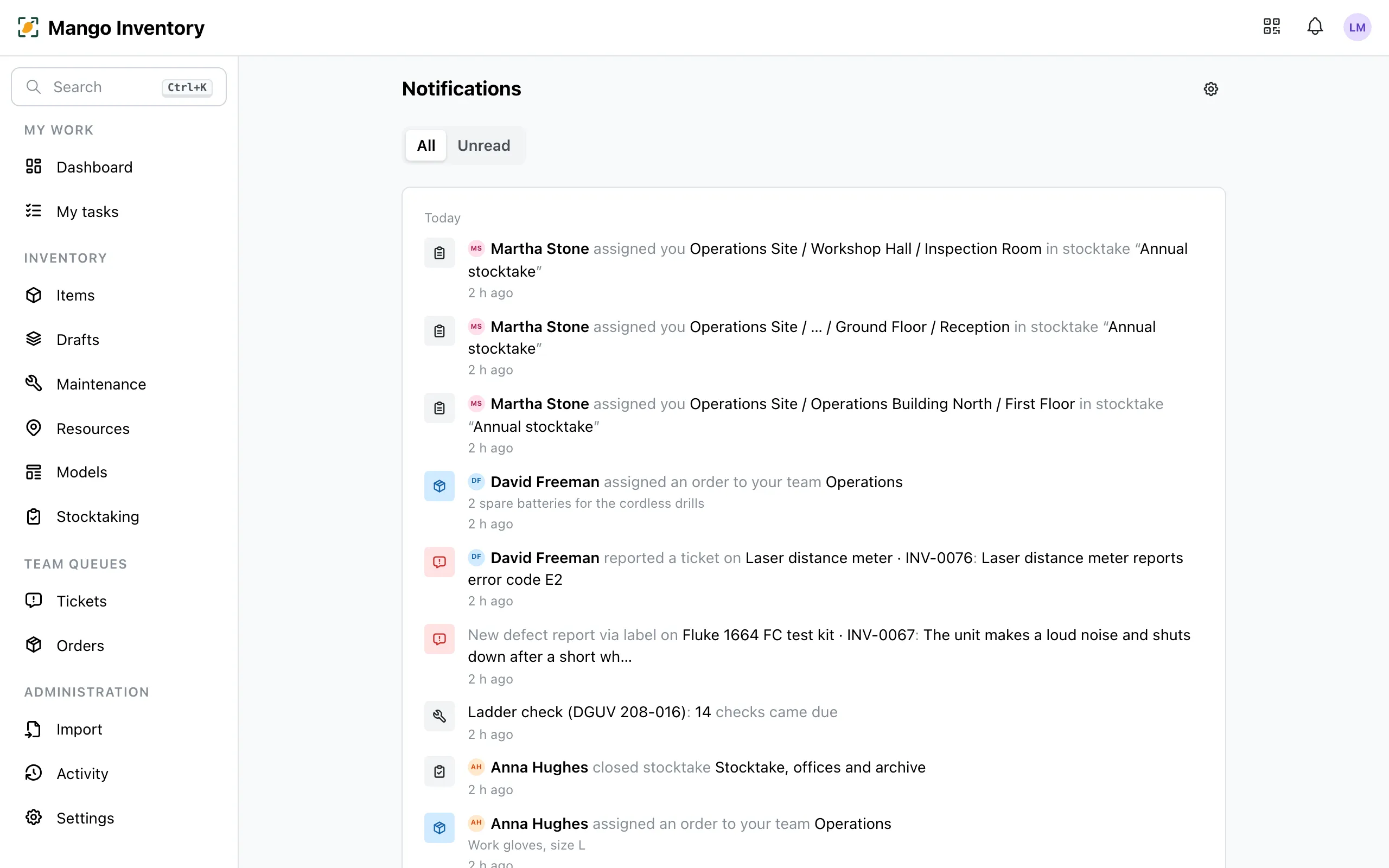
Mango Inventory tells you what concerns you: mentions, assigned tickets, status changes on your items, replies to your orders. In the app, everything always arrives. By email and push, only what you want.
At a glance
Section titled “At a glance”- The bell at the top right shows what’s unread. A click leads straight to the ticket, the order or the item; “View all” opens the full history.
- Email and push as you choose — for every kind of notification you choose whether it should also reach you.
- Little email out of the box — email and push mainly bring what concerns you directly: mentions, tickets, orders and stocktake areas assigned to you, due inspections, and status changes on items you hold or are responsible for.
- Daily digest — instead of single emails, one each morning with the previous day’s notifications that you get by email.
- Defaults for everyone — owners decide what the whole organization gets; every person adjusts it for themselves.
Setting it up
Section titled “Setting it up”Under Settings → Notifications you turn Email and Push on or off per kind of notification and choose the delivery: Immediate or Daily digest.
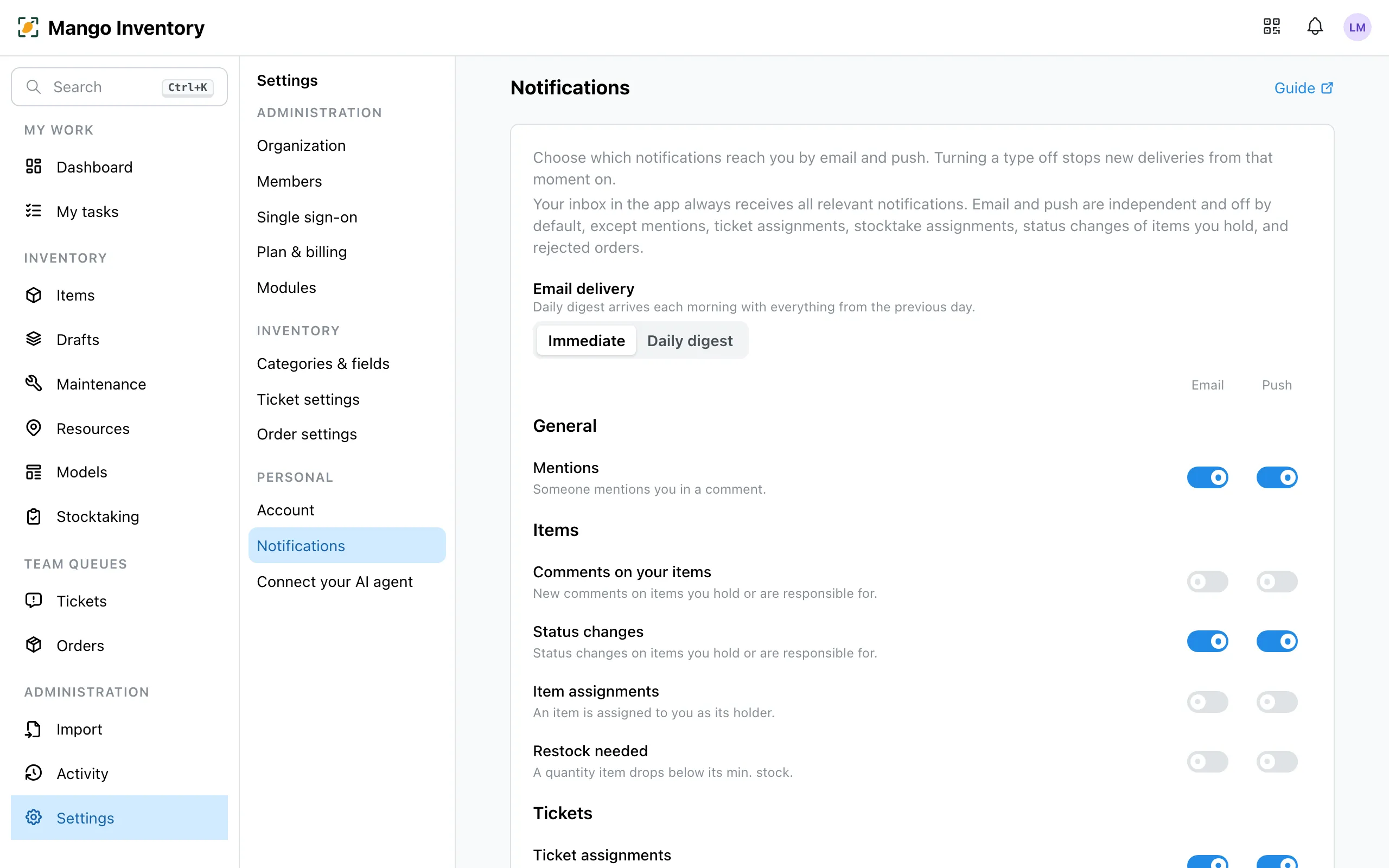
Owners find the organization defaults on the same page. “Use org defaults” resets your own settings to them.