
My tasks
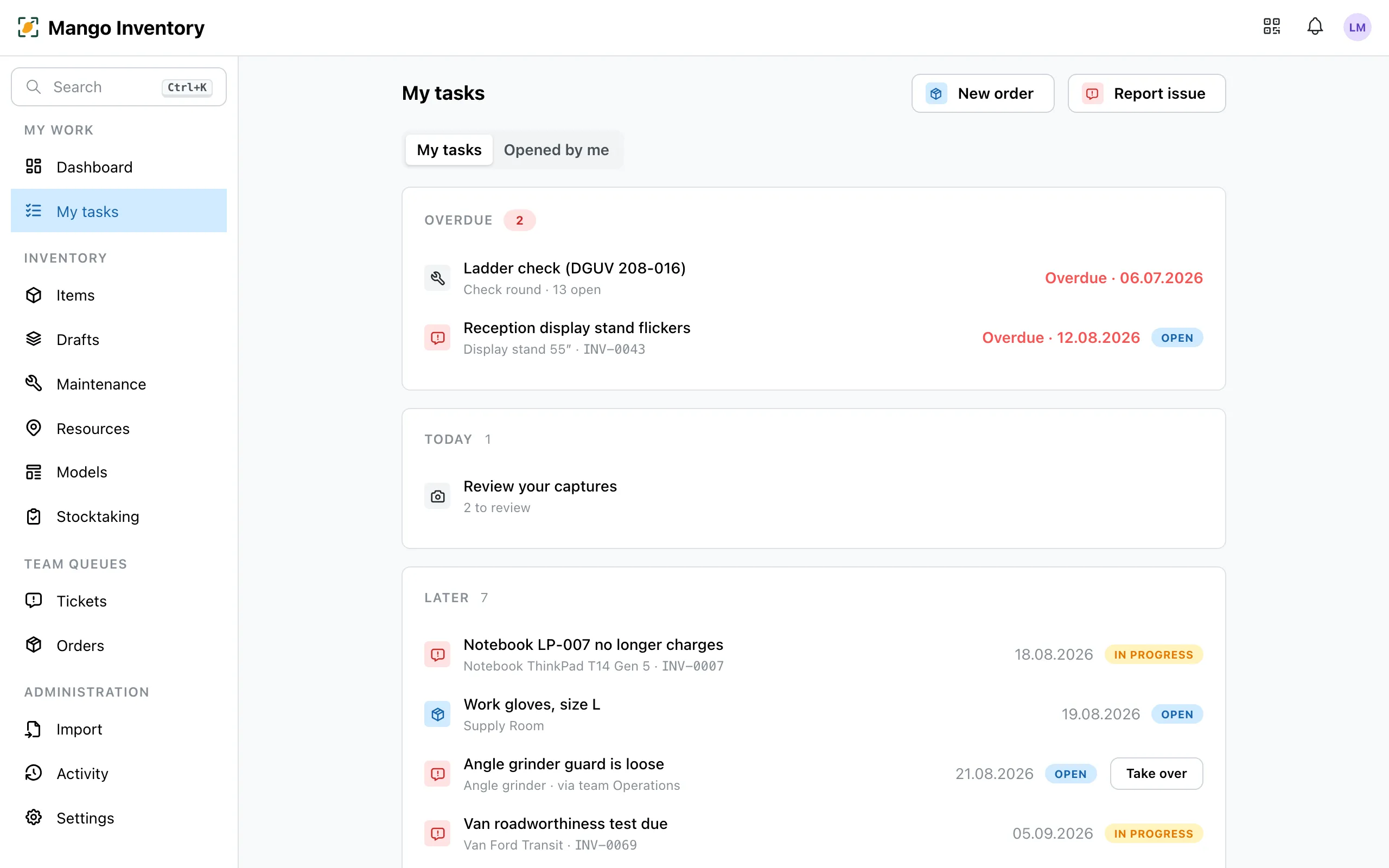
Someone reports a defect, an inspection comes due, the gloves run out: “My tasks” collects this work in one place, grouped by due date. Overdue work shows in red at the top.
At a glance
Section titled “At a glance”- One list instead of many inboxes — tickets, orders, inspections, stocktaking and restocking sit together.
- Team work is visible — open tasks of your team show up marked “via team …”. With “Take over” you pull one to yourself. When you’re on holiday, the team sees what’s due.
- Every task has someone — a responsible person or team from the start.
- Your own requests — “Opened by me” shows what you reported or ordered yourself, with its current status.
- On the go too — the “Tasks” tab of the mobile app shows the same list.
What shows up here
Section titled “What shows up here”| Task | When | More |
|---|---|---|
| Ticket | A defect or an inspection is assigned to you or your team | Tickets |
| Order | A request is waiting to be fulfilled | Orders |
| Check round | A plan’s inspections are due — bundled in one row, e.g. “Check round · 9 open” | Maintenance & inspections |
| Stocktake | You count in a running stocktake — with progress | Stocktaking |
| Min. stock | A quantity item drops below the min. stock | Quantity items |
| Confirmations need attention | A receipt confirmation you asked for has been open for 7 days, or the person reported a problem | Receipt confirmation |
| Review your captures | You captured with the app and haven’t gone through them yet | Capturing your inventory |
The dashboard
Section titled “The dashboard”The dashboard is your start page: your tasks, overdue inspections and recently viewed items at a glance. With “Customize” you show or hide cards.
Who gets which work?
Section titled “Who gets which work?”New work lands with the right person by itself. You set this up once:
| Work | Goes to | Set under |
|---|---|---|
| Everything without its own rule | the default assignee (a person or a team) | Settings → Organization |
| Tickets, per type (defect → caretaker, maintenance → IT) | the chosen person or team | Settings → Ticket settings |
| New orders | the chosen person or team | Settings → Order settings |
| Inspections of a maintenance plan | ”Assignee” in the plan | in the maintenance plan |
| Stocktaking | whoever counts the area | in the stocktake |
| Min. stock | the people responsible for orders and the person responsible for the location | on the location |
You can change the assignment of a ticket or an order yourself at any time, under “New ticket” and for orders already when you create it.