


















01 · LabelingIn every plan
Every item gets a label
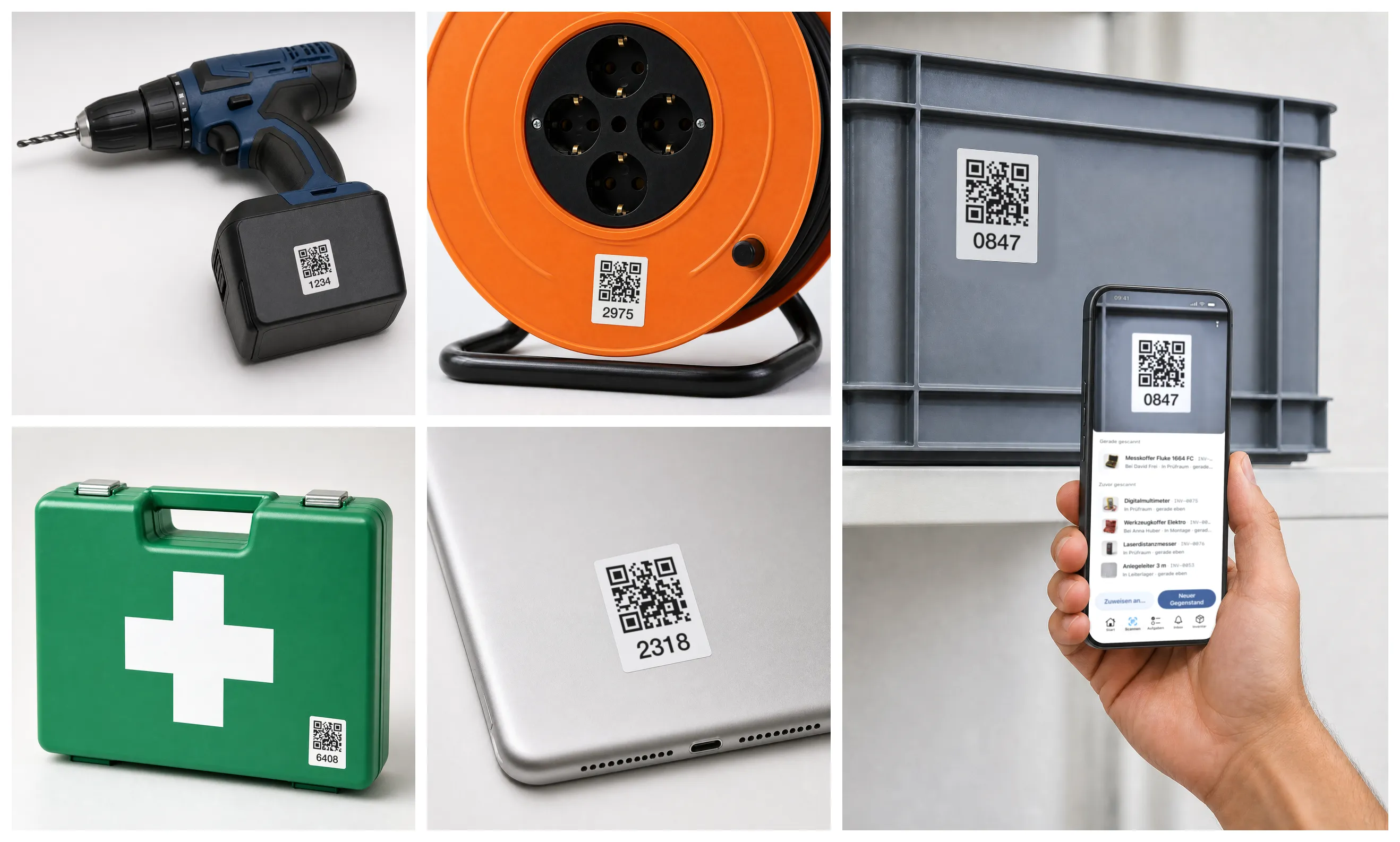
- Stick the labels on — Pre-printed from us or straight from the app.
- Just scan — Opens the item: who has it, where it is, since when.
- For the whole team — Everyone scans with their own phone.
Inventory management for the public sector
Plough attachments, festival benches, tools, IT: check-out by scan, inspection dates in view — and your inventory lists imported in one afternoon. From CHF 29€29£29$29 per month.
Free to try up to 50 items · no credit card required
Lent to the sports club — or to the village fair? The depot list says both. Nobody knows for sure.
Works depot, administration, and fire brigade each keep their own inventory list. Come audit time, none of them match.
Ladders, trailers, defibrillators — inspection dates live on paper somewhere. Until the insurer or the auditor asks.
01 · LabelingIn every plan
02 · OverviewIn every plan
03 · Check-out & returnIn every plan
04 · Maintenance & inspectionFrom Premium
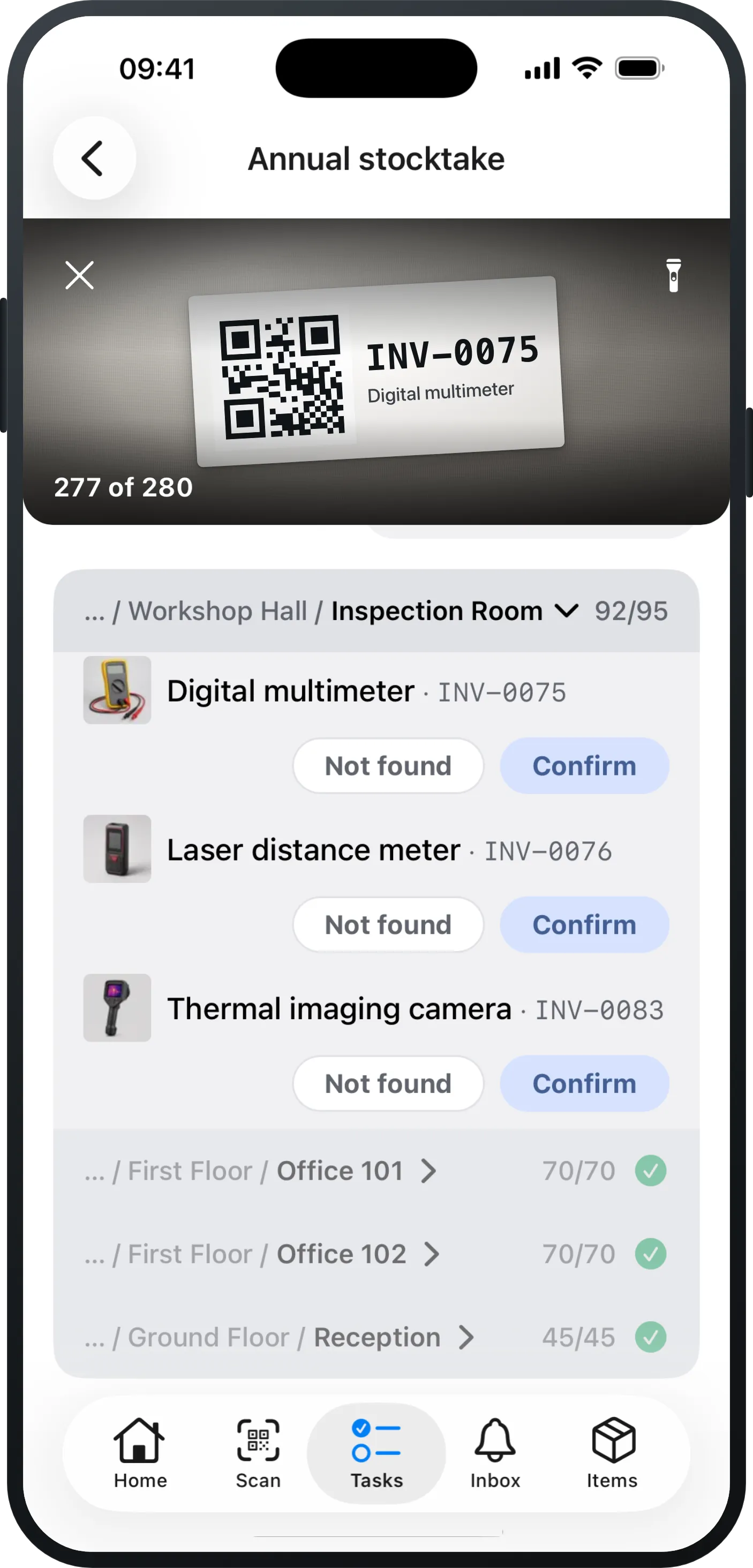
05 · StocktakingFrom Pro
06 · Defect reports & ticketsFrom Pro
07 · Excel importIn every plan
Warranty for laptops, size for protective clothing: your list shows what you need.
24 identical radios, described once: each one still stands on its own in your list.
Case, cart, crate: contents follow the container — lend and move it as one.
An order instead of a phone call: “I need a drill” lands with you as an order.
Gloves, paper, tape: you say how much has to be there, someone tops it up.
What matters by email or push, the rest waits in the app until you have time.
Any view as Excel or CSV, any time: your data stays yours.
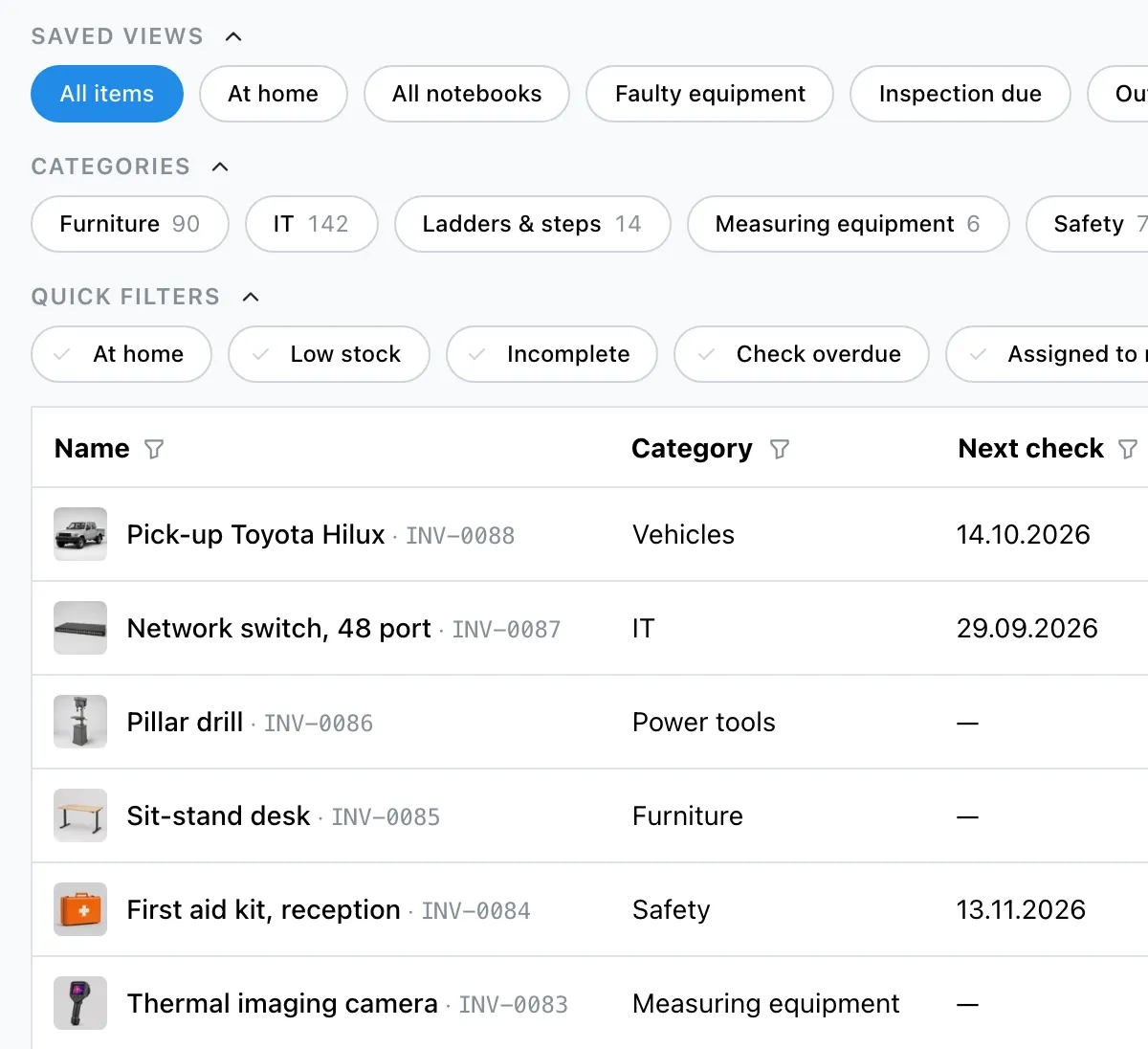
Who had what, when? Every handout and return is in the item’s history, with person and time.
Unlimited users, with directory sync for Microsoft and Google Workspace.
See it on your own inventory: a few rooms, a few items — then you will know whether it fits.
Free to try up to 50 items · no credit card required
Whether municipality, city, utility, or fire brigade — what counts at the end of the fiscal year:
Know what the depot and the administration already own — stop buying duplicates. Budget requests backed by stock, not guesswork.
Complete history and inventory count reports for the finance committee and the auditors — at the push of a button, not by asking around.
Your data stays yours: export to Excel/CSV anytime, in full. Even if you switch providers.
Public pricing, unlimited users. Caretakers and depot staff who scan and report cost nothing extra.
Upload, confirm the columns, done. If you prefer, we take it over free of charge.
Labels from your printer or from us. Stick them on room by room; from then on a scan does it.
Invite your team by link, as many as you like. Everyone scans, nobody has to ask you.
Per 1,000 items or part thereof, unlimited users in every plan.
CHF 0€0£0$0
up to 50 items
All features. Like a demo — only real, with your data.
No credit card required
CHF 29€29£29$29
per month per 1,000 items
The complete Excel replacement for everyday work.
Free to try up to 50 items · no credit card required
CHF 69€69£69$69
per month per 1,000 items
For organisations with processes: stocktaking & tickets.
Free to try up to 50 items · no credit card required
CHF 119€119£119$119
per month per 1,000 items
For institutions and operations with IT requirements.
Free to try up to 50 items · no credit card required
Detailed feature mapping. — Free includes all features — up to 50 items.
| Feature | Essential | Pro | Premium |
|---|---|---|---|
| Inventory & everyday use | |||
| Items, categories & custom fields | Included | Included | Included |
| Item models for identical devices | Included | Included | Included |
| Check-out & return by scan | Included | Included | Included |
| Scanner & printable QR labels | Included | Included | Included |
| Excel import with AI column mapping | Included | Included | Included |
| Export (Excel/CSV), any time | Included | Included | Included |
| Saved views & dashboard | Included | Included | Included |
| Item history & activity feed | Included | Included | Included |
| Quick photo capture (drafts) | Included | Included | Included |
| Processes | |||
| Stocktaking in the app | Not included | Included | Included |
| Defect reports & tickets | Not included | Included | Included |
| Orders & reservations | Not included | Included | Included |
| Consumables, quantities & minimum stock levels | Not included | Included | Included |
| Organisation & IT | |||
| Maintenance plans incl. checklists | Not included | Not included | Included |
| Single Sign-on (Microsoft / Google) | Not included | Not included | Included |
| Directory sync | Not included | Not included | Included |
| API & integrations | Not included | Not included | Included |
| Advanced roles & permissions | Not included | Not included | Included |
Free includes all features — up to 50 items.
Exactly what this page says: per 1,000 items or part thereof, unlimited users, no hidden modules. Example: 800 devices cost CHF 29€29£29$29 per month on the Essential plan. If your inventory grows past 1,000 items, the subscription adjusts automatically — you're notified by email first, and nothing is charged before your next invoice.
See pricing →Nothing gets lost, and nothing stops working: lending, stocktaking, editing, tickets — everything keeps running. Only new items beyond the 50 can't be added any more — that's the moment to upgrade: pick a plan, keep working, everything stays as it is.
One afternoon: import, labels, invite the team. Nobody needs training — anyone who can scan a QR code can check out items and report defects.
Docs: getting started →Yes — upload an Excel or CSV file, the AI maps the columns, you review and confirm. And every view exports back out completely, any time.
Docs: import & export →No scanner hardware needed: a phone camera and the browser are enough, and you print QR labels yourself — or order them pre-printed from us. The app is available for iOS and Android.


On servers in Europe. All providers and locations are listed on the Trust & security page.
See Trust & security →Every view exports completely as Excel/CSV, any time. You can cancel any time, effective at the end of the current billing month — in the app or by email. Whether you cancel or downgrade, everything stays stored, stays in your export and keeps working; features your plan no longer includes come back the moment it does. Nothing is deleted.
Docs: import & export →Everyone: users are unlimited on every plan, at no extra cost. Four roles cover permissions — from read-only viewer to owner — and responsibilities for tickets and orders are granted per person. Single sign-on and directory sync are available on the Premium plan.
For everything your MDM doesn't see. MDM manages computers and tablets technically; Mango Inventory also inventories projectors, tools, instruments and furniture — and covers check-out, defect reports and stocktaking.
You connect ChatGPT, Claude, Microsoft Copilot or any other AI app directly to your inventory — the agent finds items, assigns them, reports defects, creates orders and can even set up your whole organisation. It acts with your permissions, every change shows in the history as “(via AI agent)”, and access can be revoked at any time.
Docs: connect your AI →Support directly from the founder: you write to karim@mangoinventory.com and get a personal answer — no anonymous ticket system.
All features from day one — no sales call required.
Free to try up to 50 items · no credit card required