01 · LabelingIn every plan
Every item gets a label
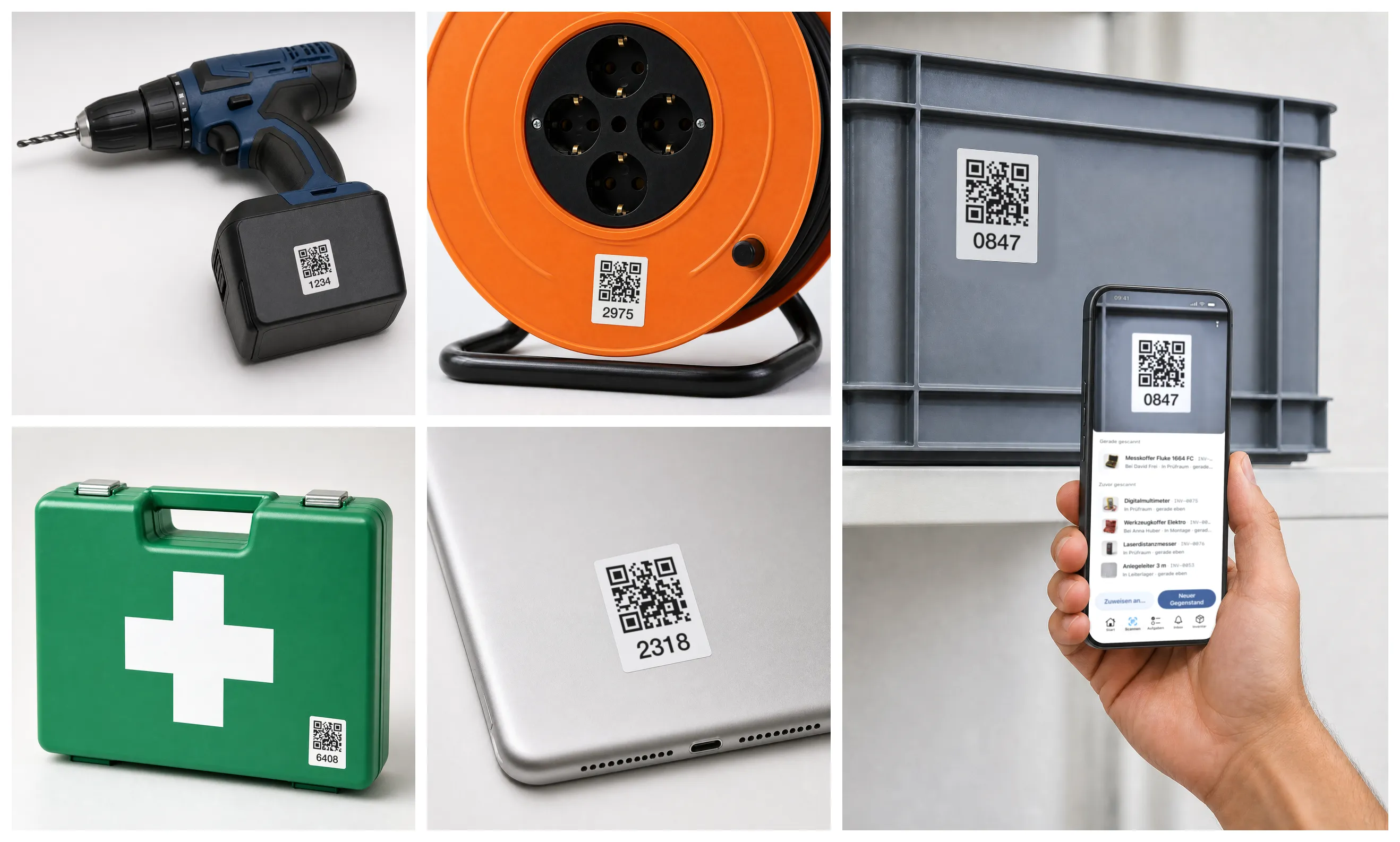
- Stick the labels on — Pre-printed from us or straight from the app.
- Just scan — Opens the item: who has it, where it is, since when.
- For the whole team — Everyone scans with their own phone.
Maintenance & inspection
Mango Inventory: inventory management for organisations with a lot of inventory. Maintenance plans, inspection dates, checklists — in one app. From CHF 119€119£119$119 per month.
Every feature, with up to 50 of your own items. No credit card.
Maintenance & inspections
“Is this ladder checked?” The sticker has faded, the checklist is in a binder. And Lena is due on the roof.
Marco sets it once: every ladder, every year, with a checklist. The plan covers all 14 straight away.
Every item now knows its date: ladders, harnesses, power tools. Also whatever arrives next week.
Months later nobody remembers. The app does: the ladder inspection is due, and it is on Marco's phone.
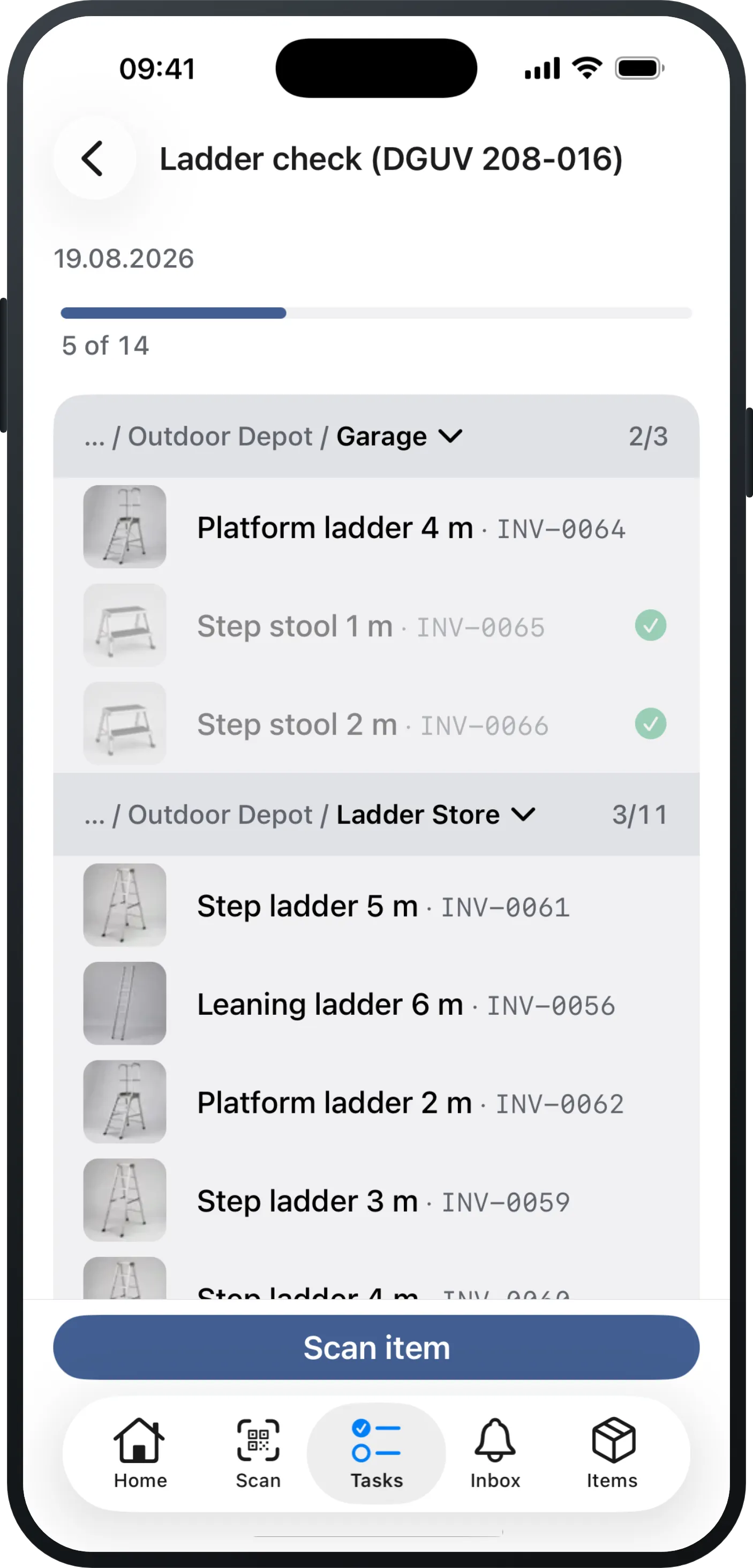
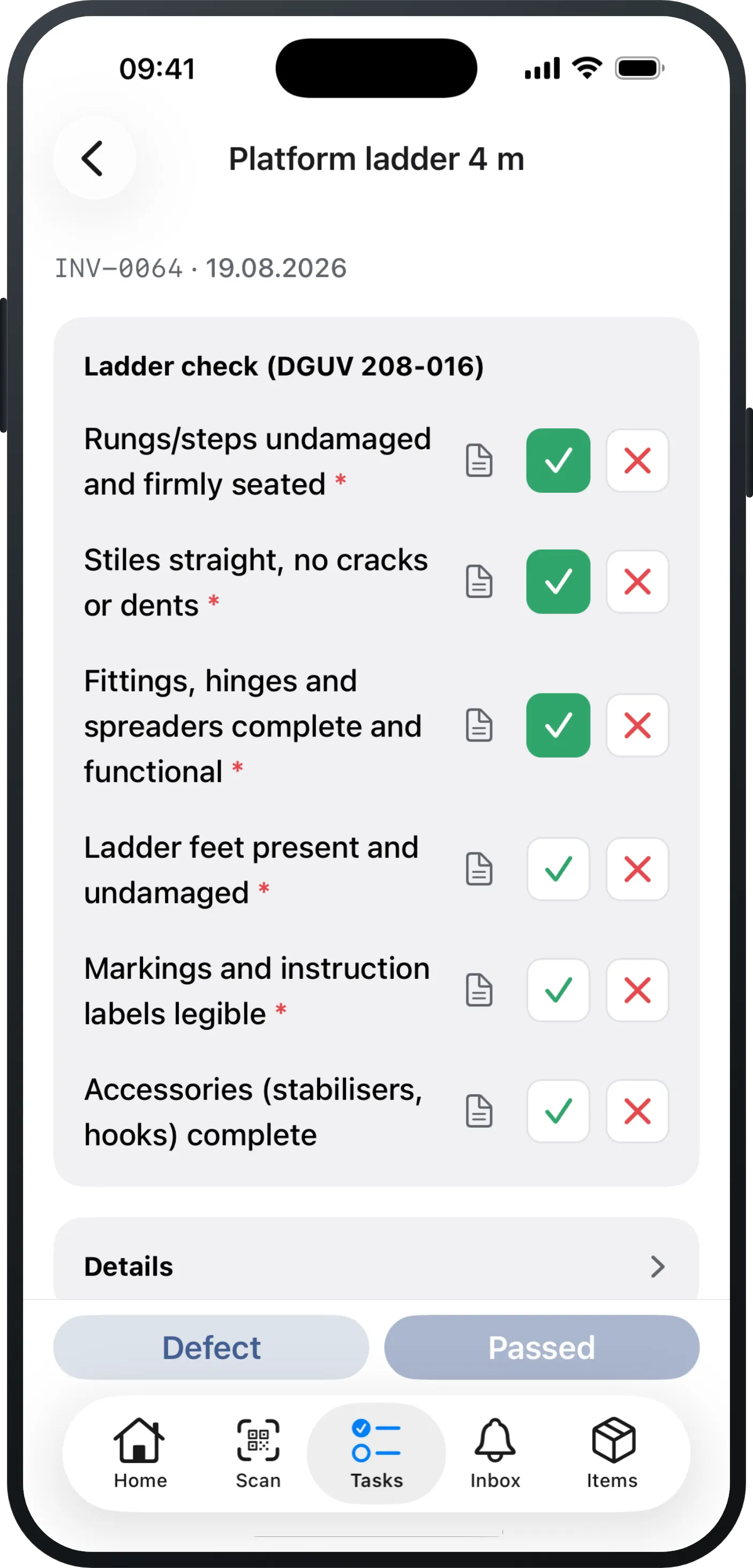
INV-0061INV-0065INV-0052INV-0053One round instead of 14 slips of paper. Scan the label, check point by point, “Passed”.
The app sets the next date itself. On to the step stool in the store: passed.
INV-0061INV-0065INV-0052INV-0053A rung on the long ladder is cracked. “Defect”, one line of text: the ladder is marked defective and the ticket is open.
The other thirteen: passed, good for another year.
Next morning Lena comes for the long ladder. The app warns her before she climbs it.
INV-0061INV-0065INV-0052INV-0053Whoever receives it should know about these before using it. Assign anyway?
When someone asks: every ladder shows who checked it and when. Point by point.
INV-006115 Mar 202715 Mar 2028INV-006515 Mar 202715 Mar 2028INV-005215 Mar 2027DefectINV-005315 Mar 202715 Mar 2028Checked, recorded, ready to show. For every item with a due date.
Start freeNot “the organisation” — a person is liable. Everyone else has an excuse.
Faulty gear must leave service. By morning the ladder is back in the van.
Ladders yearly, electrical twice a year, plus PPE: nobody keeps that on paper.
Are your inspection dates still on a calendar or in a spreadsheet? That is exactly what steps 1 and 2 are for.
“We haven't got any of it recorded yet.”
Along the way you get a clean overview of your entire inventory — and that is exactly what every maintenance plan builds on.
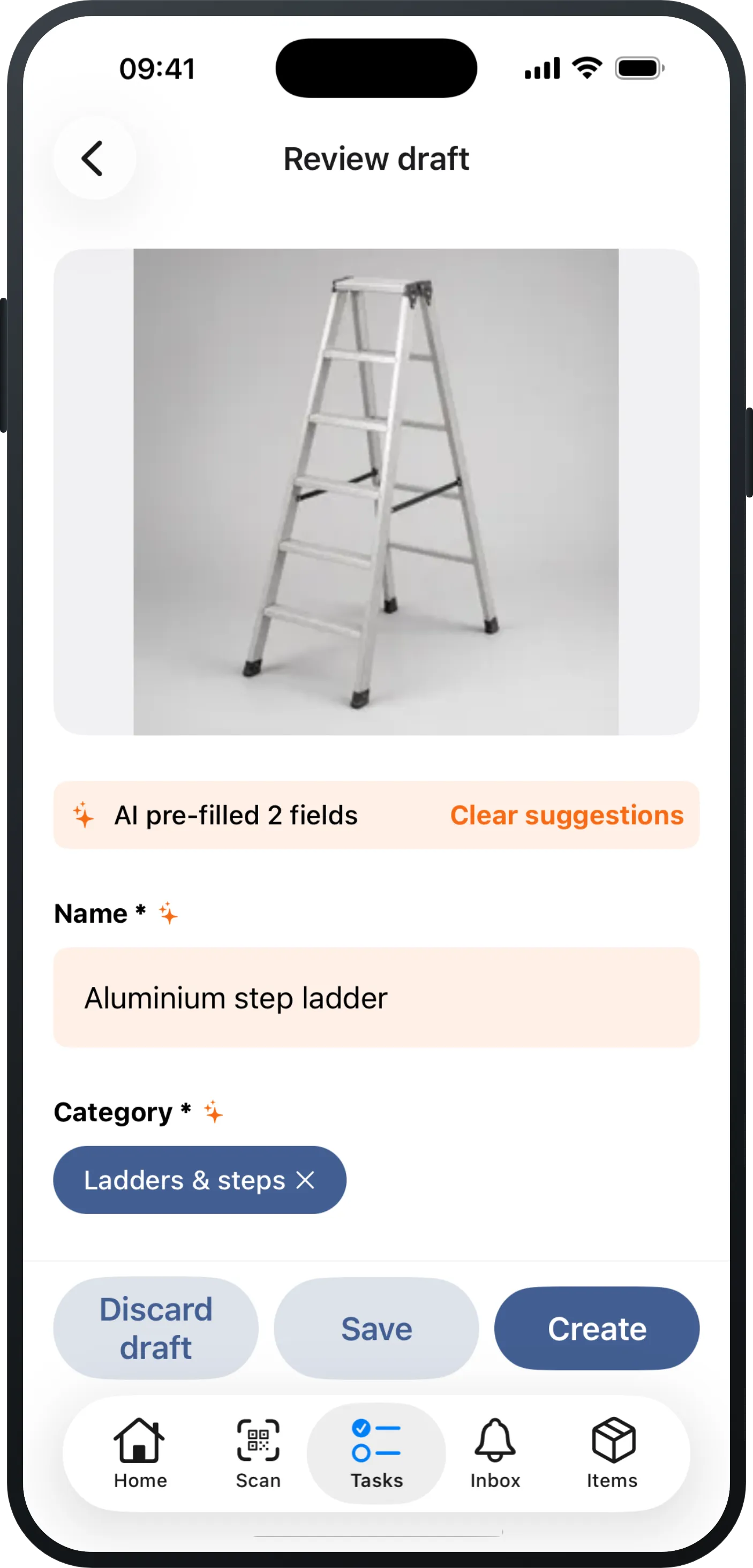
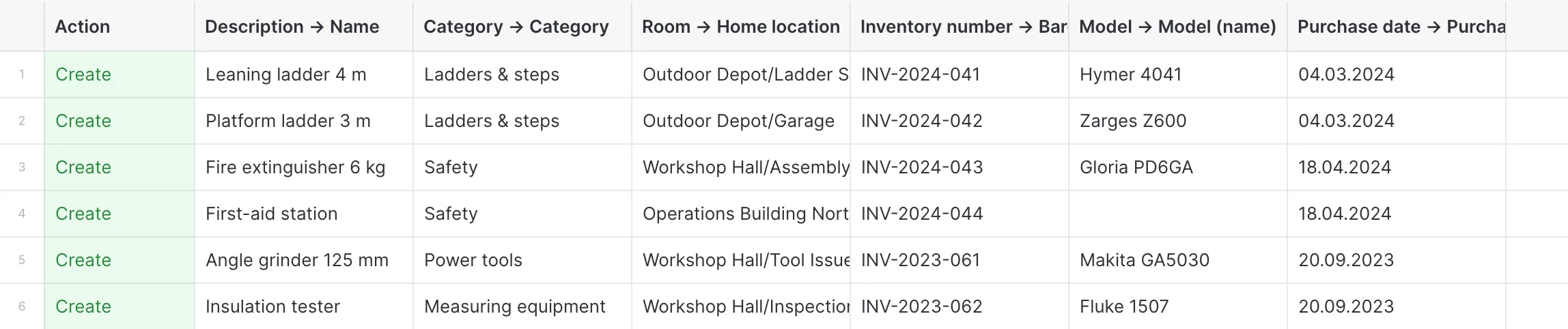
“Our inspection dates live in a spreadsheet — and nobody knows whether every device is really on it.”
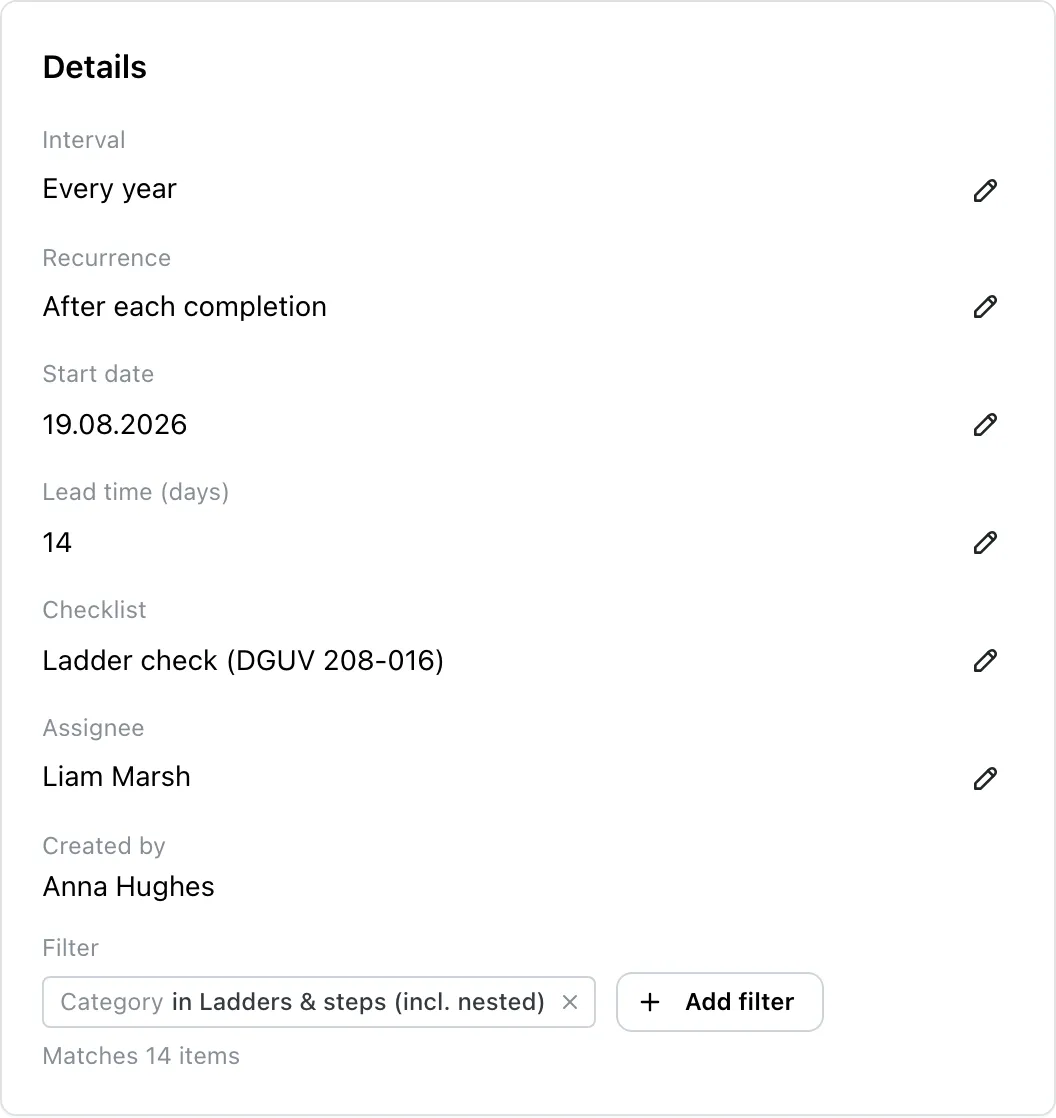
“Open every single ladder? We do not have the time for that.”
Set up your first plan — with your own devices, in a couple of minutes.
Every feature, with up to 50 of your own items. No credit card.
01 · LabelingIn every plan
02 · OverviewIn every plan
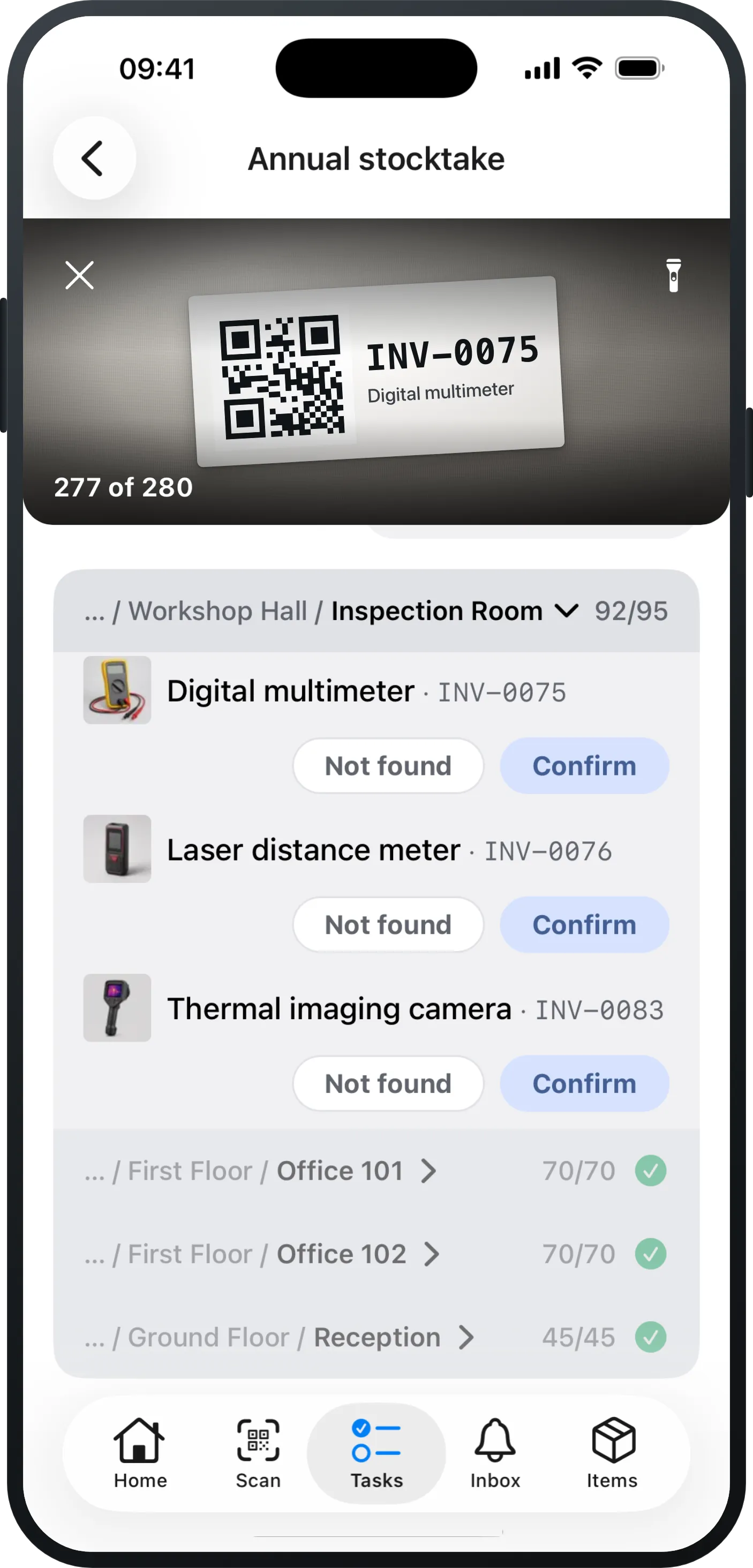
03 · StocktakingFrom Pro
04 · Defect reports & ticketsFrom Pro
05 · Check-out & returnIn every plan
Up to 50 items you try everything at your own pace, maintenance plans included. For day-to-day operation you want the Premium plan: CHF 119€119£119$119 per month per started 1,000 items, with as many users as you like.
CHF 29€29£29$29
per month per 1,000 items
without maintenance plans
The complete Excel replacement for everyday work.
CHF 69€69£69$69
per month per 1,000 items
without maintenance plans
For organisations with processes: stocktaking & tickets.
CHF 119€119£119$119
per month per 1,000 items
This is where maintenance plans and checklists live — plus stocktaking, tickets and orders.
Test it with your own items: free up to 50 items, no credit card. Once you add more, pick a plan.
In the free test with up to 50 items, you can try every feature.
| Feature | Essential | Pro | Premium |
|---|---|---|---|
| Inventory & everyday use | |||
| Items, categories & custom fields | Included | Included | Included |
| Item models for identical devices | Included | Included | Included |
| Check-out & return by scan | Included | Included | Included |
| Scanner & printable QR labels | Included | Included | Included |
| Excel import with AI column mapping | Included | Included | Included |
| Export (Excel/CSV), any time | Included | Included | Included |
| Saved views & dashboard | Included | Included | Included |
| Item history & activity feed | Included | Included | Included |
| Quick photo capture (drafts) | Included | Included | Included |
| Processes | |||
| Stocktaking in the app | Not included | Included | Included |
| Defect reports & tickets | Not included | Included | Included |
| Orders & reservations | Not included | Included | Included |
| Quantity items & minimum stock levels | Not included | Included | Included |
| Receipt confirmation | Not included | Included | Included |
| Organisation & IT | |||
| Maintenance plans incl. checklists | Not included | Not included | Included |
| Single Sign-on (Microsoft / Google) | Not included | Not included | Included |
| Directory sync | Not included | Not included | Included |
| API & integrations | Not included | Not included | Included |
| Advanced roles & permissions | Not included | Not included | Included |
In the free test with up to 50 items, you can try every feature.
A plan is done in a couple of minutes: pick the category, set the interval, name who is responsible, add the checklist. What takes longer, if anything, is bringing your existing inspection dates over — you type those in row by row in the fill-in mode, or set one common start date for all the devices.
A maintenance plan states which devices are checked at what interval and which points have to be worked through — from the fire extinguisher to the ladder. In Mango Inventory a plan sits on a category rather than on a list of dates: the maintenance software creates a ticket for the responsible person in good time and works out the next due date after every check. New devices in that category are included automatically.
Docs: maintenance plans →No. There is no extra hardware to buy. Your people walk the round in the app — and anyone who would rather work at the computer walks the same round there. You can scan labels if you have them, but you do not have to.
Docs: mobile app →The person or the team named in the plan: the check appears under “My tasks”, overdue in red at the top. When somebody takes over a team task, it is visible who is working on it. Next to that, the “Maintenance & inspection” page answers the same question for everyone: what is due, what is overdue, and which items have no plan at all.
Docs: my tasks →You record the finding right there in the check: what was wrong and whether the item is set to defective — a photo of it belongs on the individual check point or on the ticket. The repair gets a linked defect ticket with an owner of its own. The check still counts as done, and the next date carries on as normal.
Docs: tickets →Up to 50 items you try Mango Inventory for free, with every function and without a credit card. Maintenance plans with checklists then run on the Premium plan — the prices are further up this page.
See pricing →Thanks! Your question has arrived. You'll get a personal answer at .
All features from day one — no sales call required.
Every feature, with up to 50 of your own items. No credit card.