01 · LabelingIn every plan
Every item gets a label
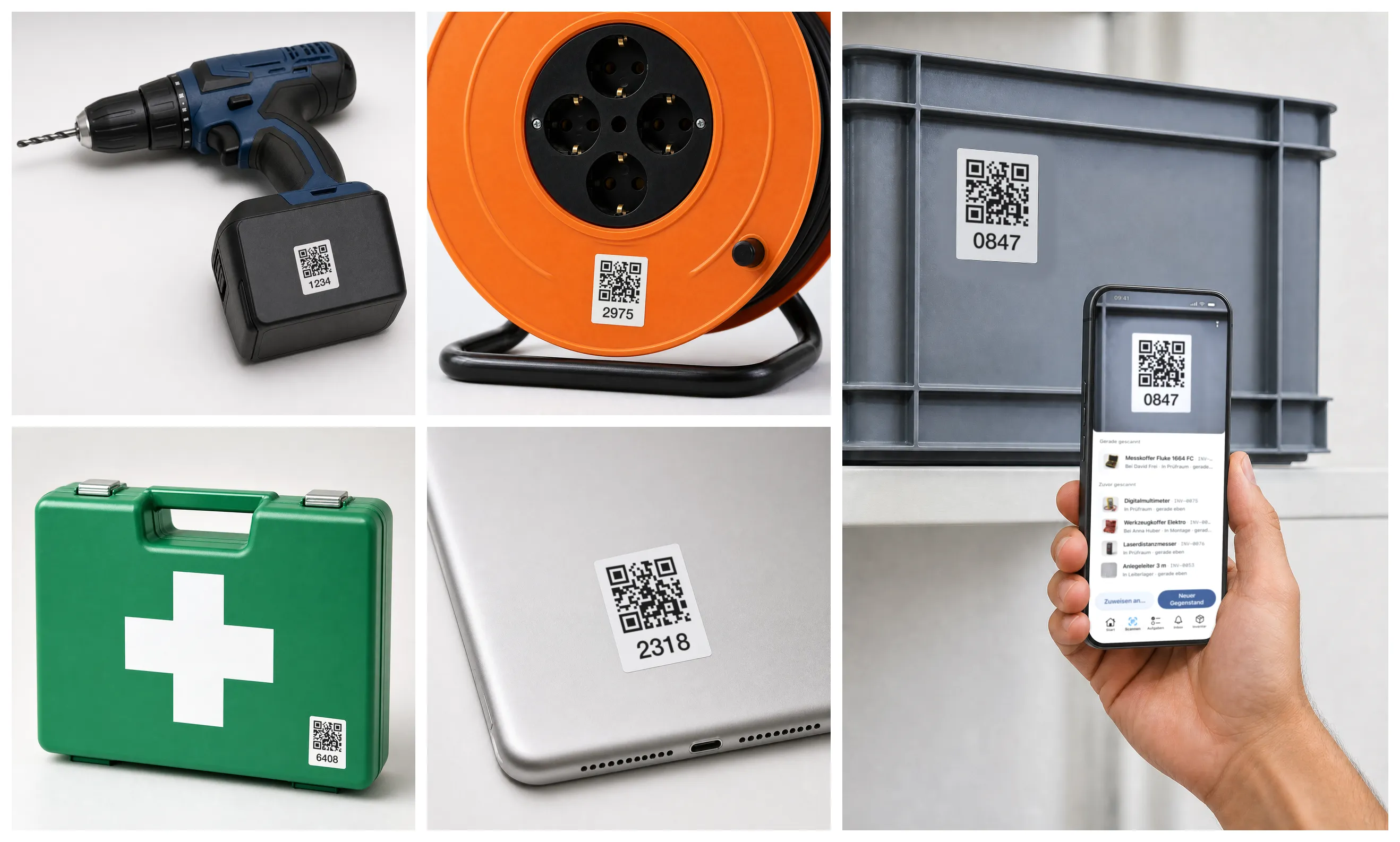
- Stick the labels on — Pre-printed from us or straight from the app.
- Just scan — Opens the item: who has it, where it is, since when.
- For the whole team — Everyone scans with their own phone.
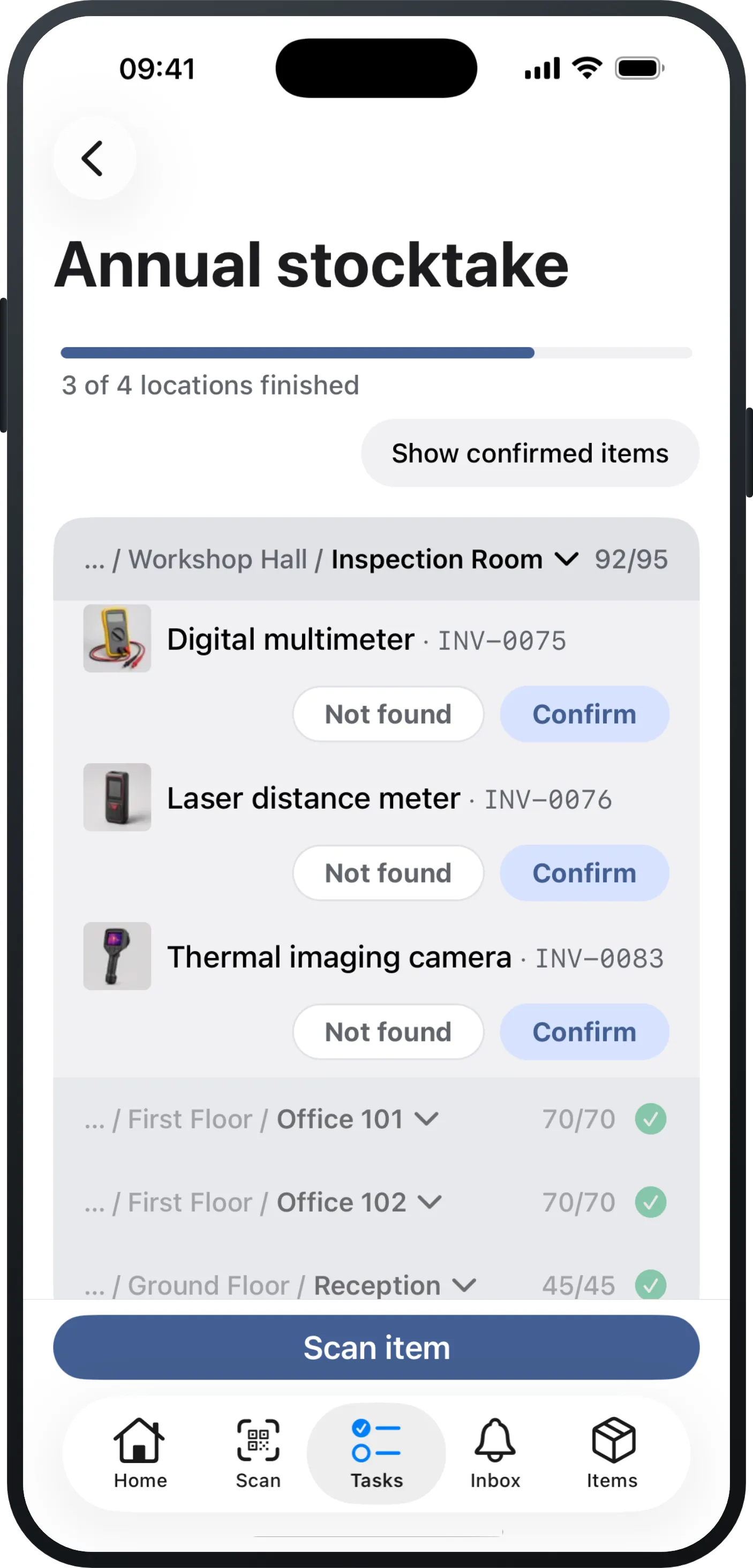
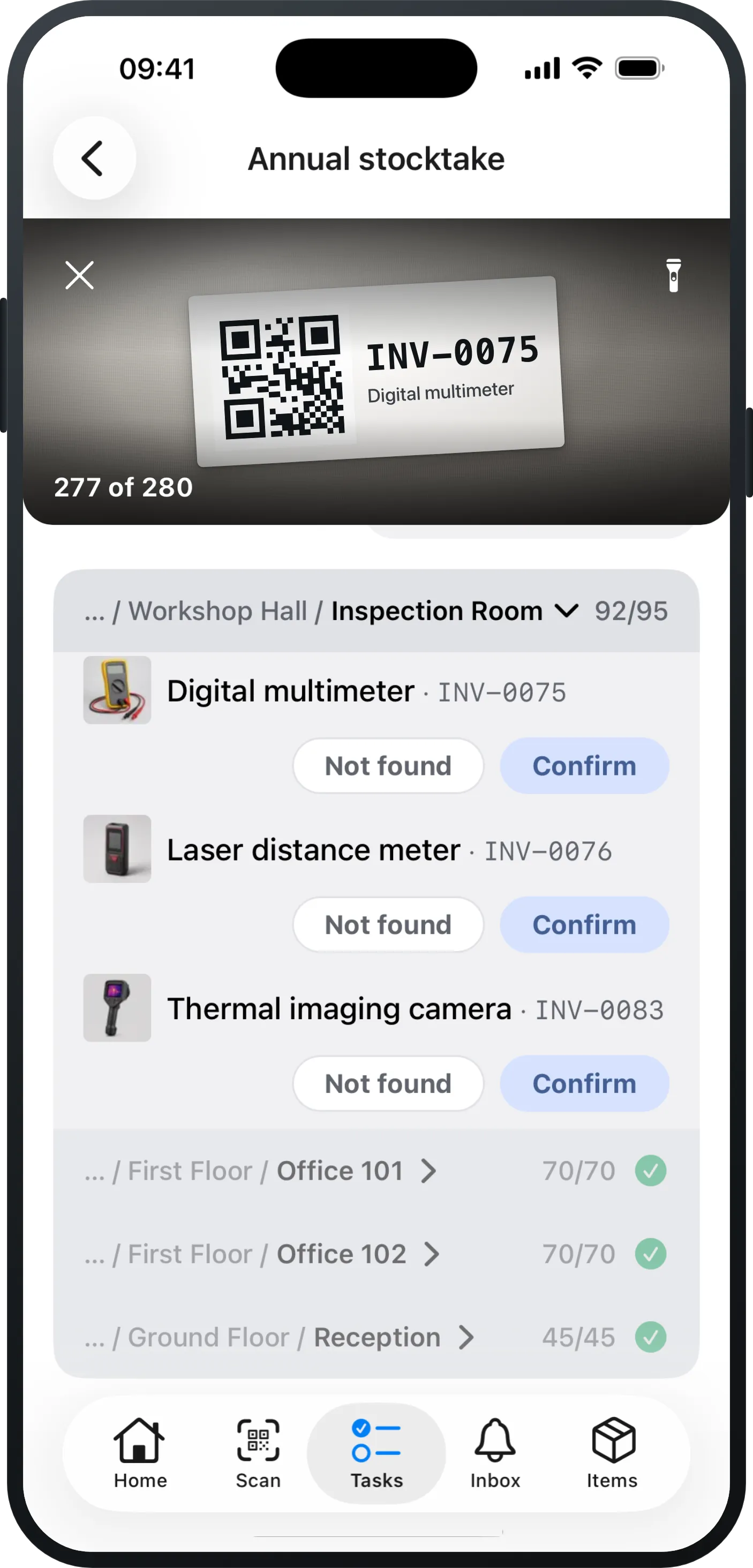
Stocktaking with your phone
Mango Inventory: inventory management for organisations with a lot of inventory. Count room by room in the app. From CHF 69€69£69$69 per month.
Free to try up to 50 items · no credit card required
“Staff shortage”, the note says. And the audit report adds: the accounts no longer count as properly kept.
Police and insurers want to know what is missing — with serial numbers. Without an inventory, that is guesswork.
The inventory goes to the audit signed. The name under it has to hope the list is right.
Still all on paper or in Excel? That is exactly what step 1 is for.
“We haven't got any of it recorded yet.”
Along the way you get a clean overview of your entire inventory — and it stays with you after the stocktake, too.
“Count all of it? We don't have a week.”
You see straight away how little is left to count.
“Tick the paper list, then type it all up again.”
See it on your own inventory: a few rooms, a few items — then you will know whether it fits.
Free to try up to 50 items · no credit card required
01 · LabelingIn every plan
02 · OverviewIn every plan
03 · Maintenance & inspectionFrom Premium
04 · Defect reports & ticketsFrom Pro
05 · Check-out & returnIn every plan
Up to 50 items you try everything at your own pace, stocktaking included. For a real stocktake you want the Pro plan: CHF 69€69£69$69 per month per started 1,000 items, with as many users as you like.
CHF 0€0£0$0
up to 50 items
Free to try up to 50 items — every function, stocktaking included. Like a demo, only with your own things.
No credit card required
CHF 29€29£29$29
per month per 1,000 items
without stocktaking
The complete Excel replacement for everyday work.
Free to try up to 50 items · no credit card required
CHF 69€69£69$69
per month per 1,000 items
This is where stocktaking lives, PDF report and all — plus tickets and orders.
Free to try up to 50 items · no credit card required
CHF 119€119£119$119
per month per 1,000 items
For institutions and operations with IT requirements.
Free to try up to 50 items · no credit card required
Detailed feature mapping. — Free includes all features — up to 50 items.
| Feature | Essential | Pro | Premium |
|---|---|---|---|
| Inventory & everyday use | |||
| Items, categories & custom fields | Included | Included | Included |
| Item models for identical devices | Included | Included | Included |
| Check-out & return by scan | Included | Included | Included |
| Scanner & printable QR labels | Included | Included | Included |
| Excel import with AI column mapping | Included | Included | Included |
| Export (Excel/CSV), any time | Included | Included | Included |
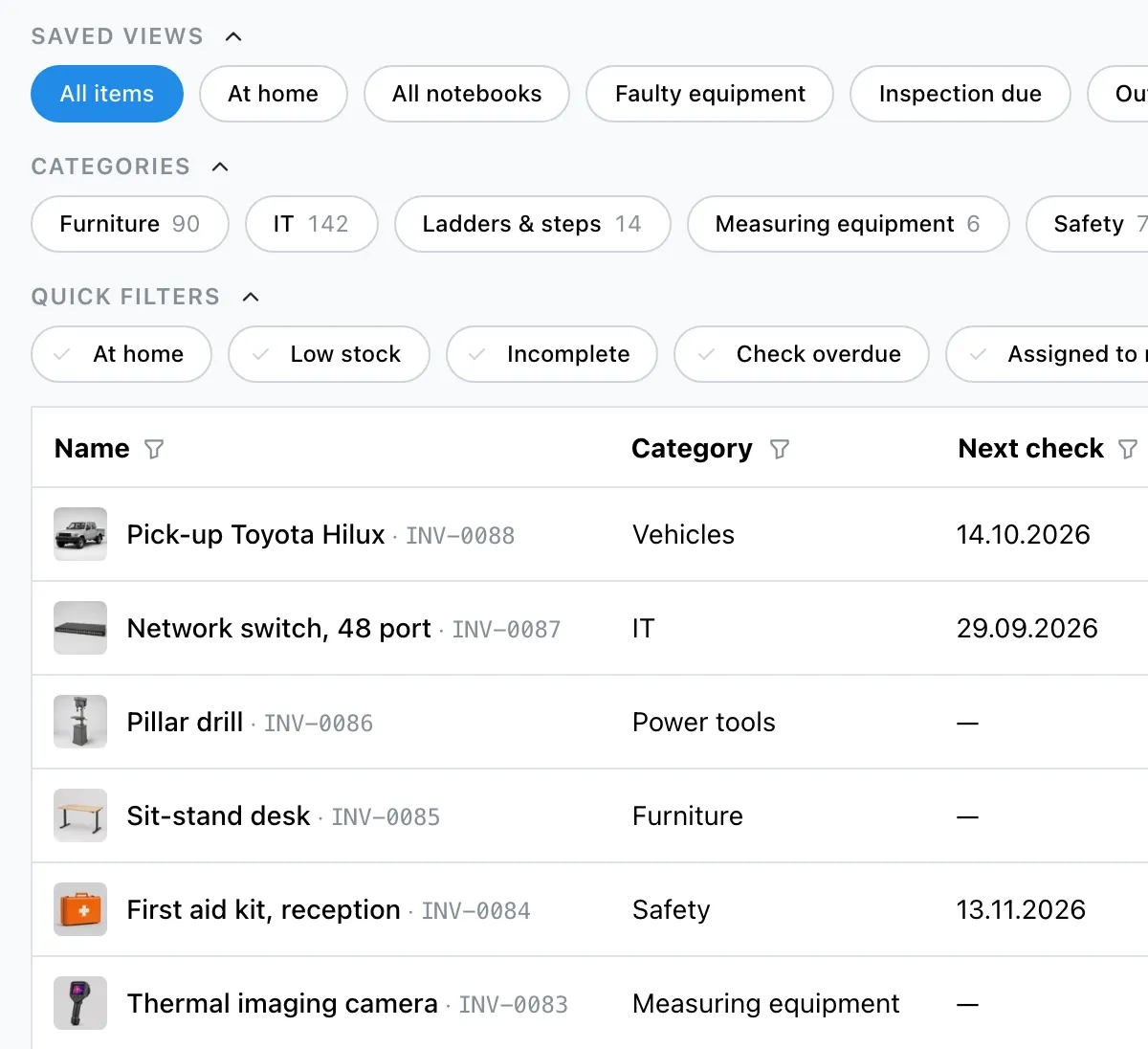
| Saved views & dashboard | Included | Included | Included |
| Item history & activity feed | Included | Included | Included |
| Quick photo capture (drafts) | Included | Included | Included |
| Processes | |||
| Stocktaking in the app | Not included | Included | Included |
| Defect reports & tickets | Not included | Included | Included |
| Orders & reservations | Not included | Included | Included |
| Consumables, quantities & minimum stock levels | Not included | Included | Included |
| Organisation & IT | |||
| Maintenance plans incl. checklists | Not included | Not included | Included |
| Single Sign-on (Microsoft / Google) | Not included | Not included | Included |
| Directory sync | Not included | Not included | Included |
| API & integrations | Not included | Not included | Included |
| Advanced roles & permissions | Not included | Not included | Included |
Free includes all features — up to 50 items.
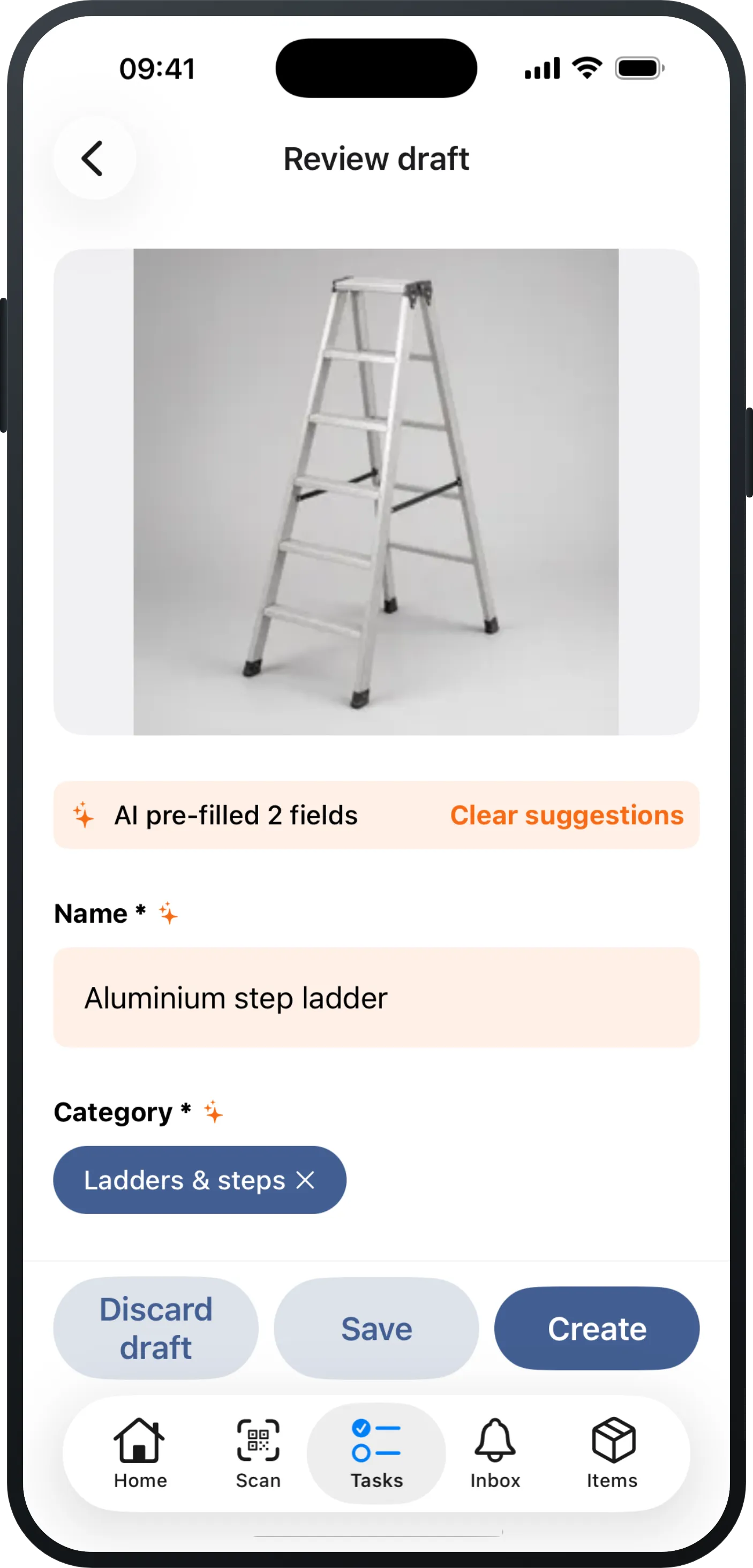
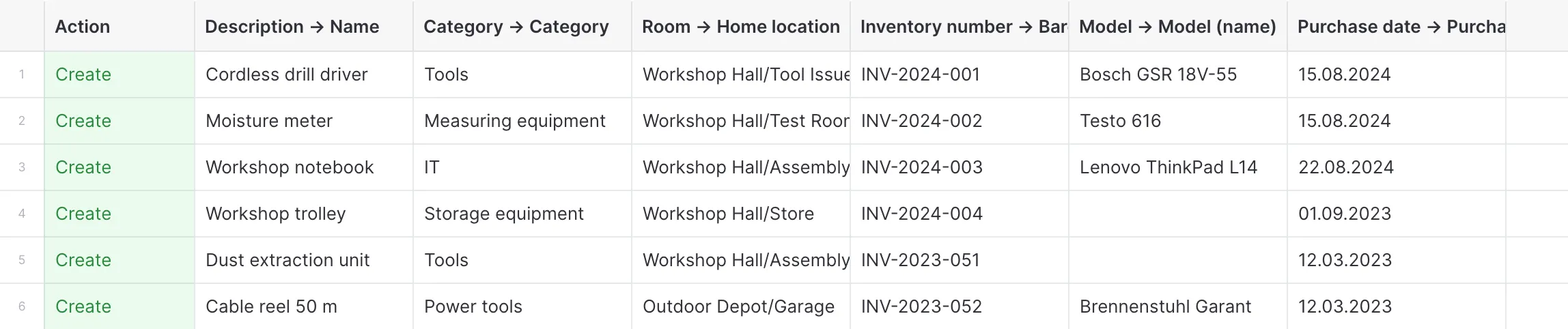
Three ways, and you can mix them: with your phone through the building — one photo per item, name and details suggested for you; through the Excel import, which proposes a target for every column; or one at a time via “New item”.
Docs: import & export →An existing Excel list is in within an afternoon, locations and categories included. If you start from scratch, you walk room by room and stop whenever you like — you do not need a finished inventory to begin.
A stocktake is the physical count of all assets at a cut-off date, usually at the end of the financial year. Stocktaking software replaces paper lists with counting by scan and compares expected and actual stock automatically. Mango Inventory is the stocktaking software for organisations with a lot of inventory: you capture your inventory by photo or Excel import, count with your phone camera and close with a signed report.
No, the phone camera is enough — everyone uses their own device. A handheld scanner works just as well, and anyone who would rather count at the computer does it in the “My count” tab.
Docs: mobile app →Yes. Whoever gets an area is notified and finds exactly one task under “My tasks”: their own locations in walking order, with “Confirm” or “Not found” per item. It does not need much more explaining than that.
Every item ends with one clear outcome: confirmed, not found — or accounted for, because someone moved it in the app during the stocktake. The PDF report separates “marked during the walk” from “never checked” and lists every discrepancy in the appendix.
Docs: stocktaking →A PDF report with the cut-off date, the method and the result, location by location, with fields for the signatures. After that it is frozen and stays on file as your proof — even if something moves later on. The numbers you can export as CSV or Excel as well, if you want to carry on with them.
Docs: stocktaking →Consumables like paper or whiteboard markers are not counted one piece at a time: per room you enter how many there are. That number becomes the current stock straight away, with a note of who counted and when. And you can only close the stocktake once every quantity item has its number in every room.
Up to 50 items you try Mango Inventory for free, with every function and without a credit card. A real stocktake runs on the Pro plan, which includes it — the prices are further up this page.
See pricing →All features from day one — no sales call required.
Free to try up to 50 items · no credit card required

